
Last Updated: November 1, 2026
Quick Summary
To verify online firearm inventory accuracy, capture the listing evidence, ask whether a specific serial number is physically on hand, and classify the unit as on hand, backordered, or drop-shipped. Confirm your FFL transfer path before paying and get the model, SKU, condition, and stock status confirmed in writing.
- A live quantity counter can still be wrong because counters update on a sync schedule.
- Ask whether a serial number is allocated to your order or still in general inventory.
- Treat a listing that fails three or more checklist items as unreliable.
- Reconcile by scanning serial numbers, not counting boxes, and log every correction.
- Spot-check top-selling models daily and run a full inventory audit quarterly.
Table of Contents
- Why Online Firearm Inventory Accuracy Fails and What It Costs You
- How to Check If a Gun Is in Stock Online Before You Order
- How to Verify Firearm Model Number and Configuration on a Listing
- The Online Firearm Listing Checklist for Confirming Stock and Specs
- Matching Physical Stock to Digital Records: Counts, Scans, and Reconciliation
- Real-Time Tracking, System Integration, and Data Synchronization Across Platforms
- Building a Verification Cadence and Accuracy KPIs for Firearm Inventory
- Confirming Availability and Scheduling Your FFL Transfer with FAFO TACTICAL
- Frequently Asked Questions
Why Online Firearm Inventory Accuracy Fails and What It Costs You
Online firearm inventory accuracy is the degree to which a live product listing matches the firearm physically sitting in the safe. When the two drift apart, buyers waste time, transfers stall, and trust erodes.
Most failures trace back to manual entry. A distributor feed says one unit shipped. A counter sale never gets logged. A serial number scan gets skipped during a busy afternoon. Each small gap compounds.
Here is what those gaps cost you:
- Overselling: Two buyers order the last unit of the same model.
- Cancelled orders: Refunds and apologies replace completed sales.
- Wasted transfers: A buyer pays an FFL fee for a gun that was never there.
- Compliance risk: Poor recordkeeping makes an audit painful.
The fix is a repeatable verification workflow. Below, we walk through how to check a listing before you buy, how to confirm model and configuration, and how to reconcile physical stock with digital records.
How to Check If a Gun Is in Stock Online Before You Order
The fastest way to confirm stock is to treat the listing as a claim that needs proof, not a fact. For reassurance that buying firearms online is safe and legitimate, see Is It Safe to Buy Firearms Online.
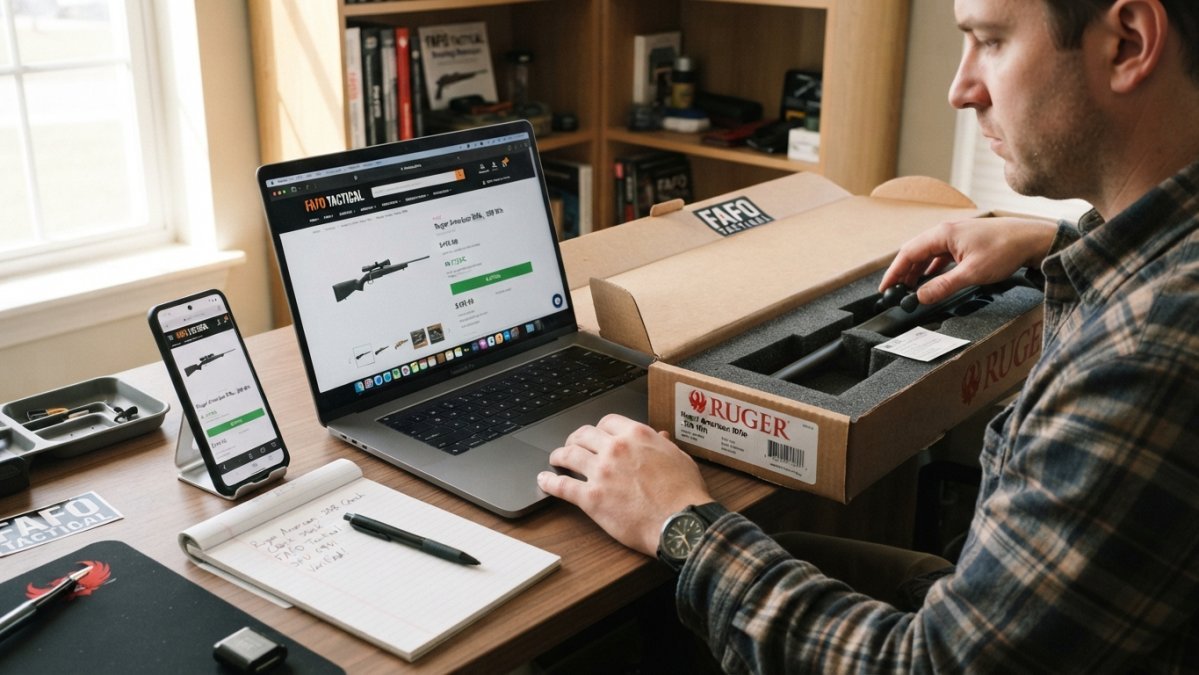
Here is a practical, end-to-end method that connects what you see on the website to what is actually in the safe.
Step 1: Capture the listing evidence. Before you contact anyone, save the exact product page, the SKU, the listed condition (new, used, consignment, demo), and the timestamp.
Step 3: Distinguish in-stock from backordered and drop-shipped. Three statuses get blurred together on firearm sites:
- On hand: The firearm is physically at the retailer and can ship to your FFL.
- Backordered: The retailer expects a distributor shipment but does not have the unit. Your money may be tied up for weeks.
- Drop-shipped: The retailer never holds the firearm; a distributor ships it. Availability depends on the distributor, not the retailer’s count.
Ask directly which status applies.
Step 4: Confirm the FFL transfer path before paying. Stock accuracy and transfer readiness are separate checks.
Step 5: Get the confirmation in writing. Ask for an email or order note confirming the model, SKU, condition, and that the unit is physically on hand.
A live quantity counter can still be wrong. Counters can update on a sync schedule, so a register sale may not reduce the online number immediately. Treat the counter as a strong signal, not proof.
If a model shows out of stock, you still have options. Special orders, distributor searches, and back-in-stock alerts help. Our guide on how do you find hard-to-get firearms covers those strategies in detail.
The verification method is simple: capture the listing, ask for serial-number status, classify the stock as on hand, backordered, or drop-shipped, confirm the transfer path, and get it in writing. Five checks separate a verified purchase from a hopeful one.
How to Verify Firearm Model Number and Configuration on a Listing
Model verification is where most buyers get lazy, and it is where mistakes get expensive. A listing that says “Glock 19” without a generation, finish, or sight configuration is not enough information to buy safely.
Check these fields against the manufacturer’s own spec sheet:
- Manufacturer model number (the exact SKU, not the family name)
- Generation or variant
- Barrel length and finish
- Sights and optic cut
- Capacity and magazine type
- Caliber
A common mistake is trusting the product photo. Photos get reused and mislabeled. The model number is the only reliable anchor.
If the listing and the manufacturer page disagree, walk away or ask the retailer to confirm in writing. A retailer that cannot produce the exact SKU is guessing.
The Online Firearm Listing Checklist for Confirming Stock and Specs
Use this checklist before you place any order. It works for buyers and for retailers auditing their own listings.
- Exact manufacturer model number shown
- Generation or variant stated
- Caliber, barrel length, and capacity listed
- Finish and sight configuration described
- Live stock status or quantity visible
- Price shown in USD with no hidden fees
- FFL transfer process explained
- Return and cancellation policy stated
- Contact method for pre-purchase questions
If a listing fails three or more of these, treat it as unreliable. The checklist is the fastest way to separate a real retailer from a dropshipper with stale data.
Matching Physical Stock to Digital Records: Counts, Scans, and Reconciliation
Reconciliation is the process of proving that physical stock matches digital records. Retailers that skip it eventually ship the wrong gun or sell one twice. The generic version of this advice appears in every inventory guide.
A workable cycle looks like this:
- Goods receipt: Scan each incoming firearm’s serial number at delivery and log it against the purchase order. Do not accept a case-level count as proof of unit-level receipt.
- Stock entry: Assign a stock location and confirm quantity on hand. Record condition (new, used, consignment, demo) at entry, not later.
- Cycle counting: Count a rotating subset of inventory on a fixed schedule instead of one giant annual count.
- Serial-number scan: Scan every unit during the count, not just the model. A model-level count tells you how many you have. A serial-number scan tells you which ones.
- Discrepancy review: Flag any count variance and investigate before correcting.
- Record correction: Fix the record with an audit trail, never a silent edit.
Firearm-specific data validation. During reconciliation, check each record against the physical firearm for these fields:
- Serial number match: The scanned serial must match the record exactly, including prefix and suffix characters. Transposed digits are the most common scan error.
- Model and variant: Confirm generation, finish, barrel length, and sight configuration. A record that says “Glock 19” without a generation is not a validated record.
- Caliber: Verify against the barrel or slide marking, not the box label.
- Condition: Confirm new, used, consignment, or demo status matches the record, because condition drives price and disclosure.
- Location: Confirm the firearm is in the recorded safe, cage, or display location.
- Disposition status: Confirm whether the unit is available, allocated to an order, held for transfer, or sold but not yet released.
Exception handling. When a check fails, do not correct the record on the spot. Quarantine the firearm, document the discrepancy (what the record said, what the physical item showed, who found it, and when), and route it to a second reviewer. Silent corrections create audit-trail gaps that are hard to explain later.
Correcting a record without logging why creates an audit trail gap that is hard to explain later. Treat every correction as an event with a name, a timestamp, and a reason.
A measurable cadence. Pick a rhythm and hold it:
- Daily: Spot-check the top-selling models and any unit allocated to an open order.
- Weekly: Cycle count one category, scanning serial numbers rather than counting boxes.
- Monthly: Full serial-number reconciliation on high-value and NFA items.
- Quarterly: Inventory audit across all categories.
Track a small set of accuracy KPIs so the cadence has teeth:
| KPI | What It Measures | Target Direction |
|---|---|---|
| Record accuracy | Records matching physical stock | Higher is better |
| Discrepancy rate | Mismatches per count | Lower is better |
| Time-to-update | Hours from physical change to record update | Lower is better |
| Oversell incidents | Orders cancelled for stock | Zero |
| Discrepancy resolution time | Days to close a gap | Lower is better |
Review these numbers monthly. If variance climbs, the problem is usually a skipped scan, not a bad system.
Reconciliation is not a count. It is a validation of serial number, model, caliber, condition, location, and disposition status, with a documented exception path for every mismatch.
Real-Time Tracking, System Integration, and Data Synchronization Across Platforms
Real-time tracking only works when every system agrees. A point-of-sale system, an ecommerce platform, and a distributor feed that do not sync will drift apart within days.
The three failure points to watch:
- POS to ecommerce: A counter sale must reduce online quantity instantly.
- Distributor feed to listing: Supplier availability is not your stock. Never display it as if it were.
- Manual overrides: Every manual edit needs a timestamp and a name.
A scheduled sync every few minutes beats a nightly batch, but neither replaces a human spot check.
Building a Verification Cadence and Accuracy KPIs for Firearm Inventory
A verification cadence is a fixed schedule for checking stock, and it is the difference between a system that works and one that quietly rots. Pick a rhythm and hold it.
A simple starting cadence:
- Daily: Spot-check the top-selling models.
- Weekly: Cycle count one category.
- Monthly: Full serial-number reconciliation on high-value items.
- Quarterly: Inventory audit across all categories.
Track a small set of KPIs:
| KPI | What It Measures | Target Direction |
|---|---|---|
| Count variance rate | Mismatches per count | Lower is better |
| Oversell incidents | Orders cancelled for stock | Zero |
| Listing accuracy | Listings matching spec | Higher is better |
| Reconciliation time | Hours per count cycle | Lower is better |
| Discrepancy resolution time | Days to close a gap | Lower is better |
Review these numbers monthly. If variance climbs, the problem is usually a skipped scan, not a bad system.
Confirming Availability and Scheduling Your FFL Transfer with FAFO TACTICAL
The final step is confirming availability and locking in the transfer. FAFO TACTICAL offers integrated FFL transfer scheduling. For current stock and transfer details, check the website or contact the store.
Before you buy, it helps to know what the transfer actually requires. Our guide on what is required for FFL transfers walks through the steps, so nothing surprises you at pickup.
Verifying firearm inventory accuracy is not glamorous work, but it is what separates a reliable purchase from a frustrating one. If you want a retailer that confirms stock before it takes your money and schedules your FFL transfer up front, FAFO TACTICAL is built for exactly that.
Frequently Asked Questions
How can I tell if a firearm listed online is actually in stock?
Check the listing for a real-time quantity indicator, not just an ‘in stock’ badge. Look for a specific number on hand and a stock location. Cross-check the UPC or SKU against the manufacturer’s current catalog. Call or message the retailer and ask them to physically confirm the firearm inventory and hold it if possible. A retailer that can give you a specific count and location is more reliable than one that only shows a generic availability tag.
What details should I verify on an online firearm listing?
Use an online firearm listing checklist: manufacturer, exact model number, caliber, barrel length, finish, capacity, and SKU or UPC. Confirm the item condition is new, not used or blemished, unless stated. Verify the stock location and quantity on hand. Check that the listing shows a serial number or a note that the serial will be recorded at shipment. Also confirm FFL transfer requirements and return policy before you order.
How often do online firearm inventory systems update?
Update frequency depends on the retailer’s inventory software and system integration. Some point-of-sale systems push automated updates to the ecommerce platform in near real time, while others sync only at end of day. Ask the retailer how often stock levels refresh. A store that runs cycle counting and real-time tracking will have fresher data than one relying on periodic physical counts. If the listing shows a quantity that has not changed in days, call to confirm.
What should I do if a firearm listing is inaccurate?
Contact the retailer immediately and ask for a record correction. Request a confirmation of the actual firearm model number and stock status. If the item is unavailable, ask whether they can source it or offer a comparable alternative. Keep the order confirmation and any messages for your records. If the order is cancelled, ask how they handle the refund and whether they will notify you when the item returns to stock.


